
This page is written for two kinds of player: someone who has never dealt a game and wants the setup and the four rules that decide every move, and someone who already plays and wants to know what the six modes on this board actually change. No card-game experience is assumed.
Key Takeaways
- Free in the browser, no download and no sign-up. The game runs on this page.
- Six ways to deal. Draw 1 Card or 3 Cards, each at Easy, Normal or Hard, plus a Time Limit you can switch off entirely.
- One click is all a move takes. Click a card and it flies to a legal spot on its own; dragging works too if you prefer it.
- Draw 1 (also called Turn 1) is far more forgiving than Draw 3. A solver clears about 52% of draw-one games against 18% of draw-three games, per Wikipedia.
- Undo goes back further than one move, and a Hint button will highlight a card you can play when you are stuck.
- The name is a mystery, not a gold rush story. There is no evidence Klondike was named after the Klondike Gold Rush.
The Six Ways to Play on This Page
Most Solitaire sites give you two choices: turn one card or turn three. This board gives you six, because the draw setting and a difficulty setting are independent of each other.
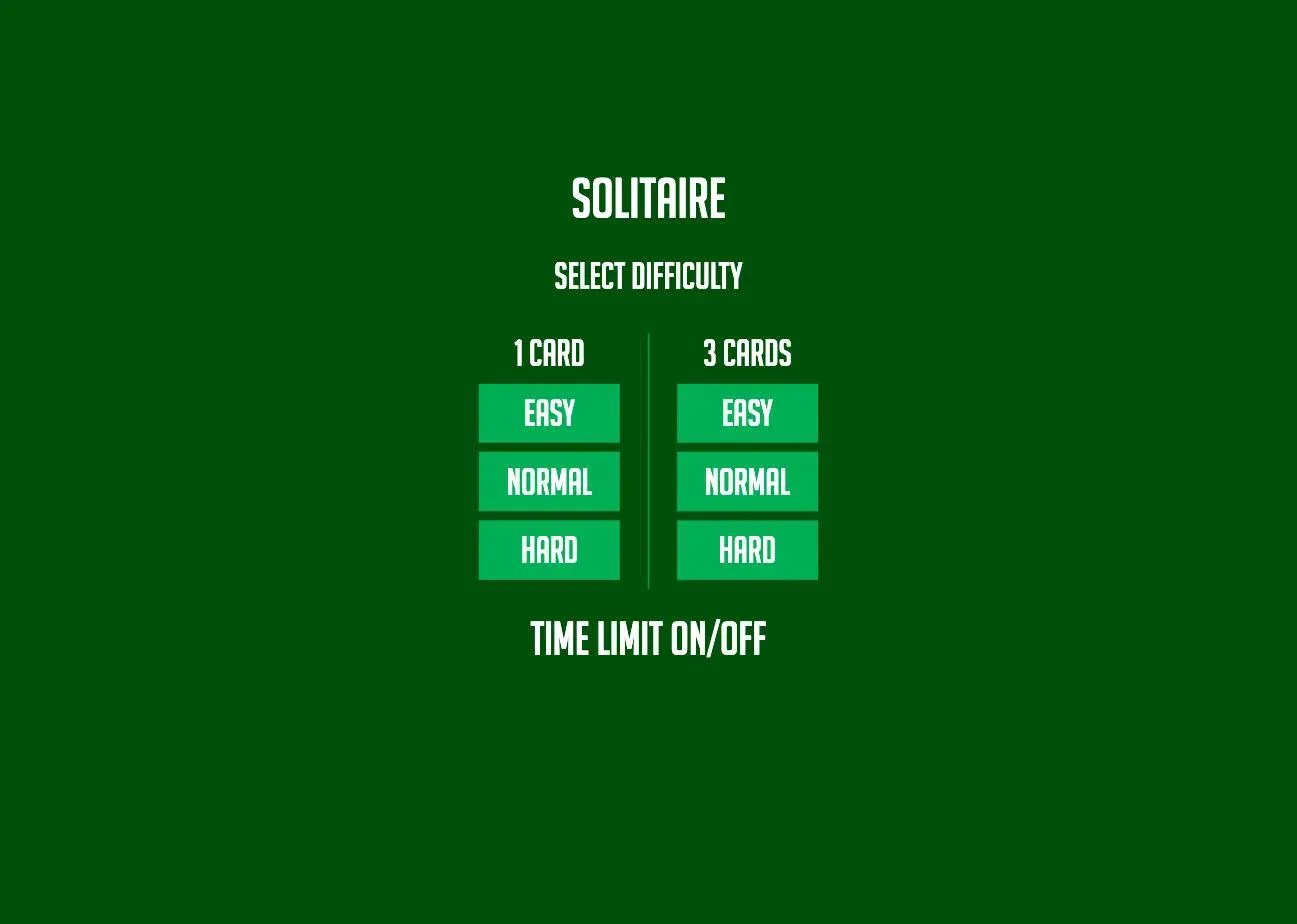
| Easy | Normal | Hard | |
|---|---|---|---|
| 1 Card | ✓ | ✓ | ✓ |
| 3 Cards | ✓ | ✓ | ✓ |
Underneath the grid sits a Time Limit switch. Leave it off and the clock in the toolbar simply counts up while you think, which is how most people play. Turn it on when you want the pressure.
You do not have to commit at the start. The toolbar carries a New Game menu that reopens the same six-way grid mid-session, and a 3 Cards button next to it for switching draw mode directly. Whichever mode you are in is printed at the far left of the toolbar, so a glance tells you whether you are on 1 CARD · EASY or something harder.
Solitaire Setup: What Is on the Table
Four areas, and every rule in the game refers to one of them.
- The tableau: seven columns across the middle. The first holds one card, the second two, and so on to seven in the last column. Only the bottom card of each column starts face-up; the rest are face-down.
- The stock: the 24 cards left over, face-down in the top-left corner. The toolbar counts them down as you draw.
- The waste: the space immediately to the right of the stock, where drawn cards land face-up. Only the top one is in play.
- The foundations: four empty slots along the top right. These are what you are filling, one suit each, Ace first.
Seven columns plus 24 in the stock accounts for all 52 cards. Wikipedia describes the same layout as the standard Klondike deal: "A tableau of seven fanned piles of cards is laid from left to right. From left to right, each pile contains one more card than the last."
How to Play Solitaire
The four rules that decide every move
- Build the foundations up by suit, starting with the Ace. Ace, then 2, then 3, all the way to King. Four suits, four piles, 52 cards. Fill them and you have won.
- Build the tableau columns down in alternating colors. A red six goes on a black seven; a black four goes on a red five. Color has to alternate every single time, so two reds never touch.
- Only a King can start an empty column. Clear a column completely and nothing but a King, or a run of cards headed by a King, may be moved into the gap.
- Draw from the stock when the tableau is stuck. Cards move to the waste; the top one is playable. When the stock empties, it refills from the waste so you can go round again, and the toolbar tracks how many passes you have made.
Controls on this page
We sat down and played a game on this board on August 25, 2026: one session, Draw 1 on Easy, working through the toolbar button by button. We did it because the controls turned out to be more forgiving than a description of Solitaire usually suggests. Everything in this section is what we saw happen, not what the rulebook says should.
A single click moves a card. Click any face-up card and, if there is a legal home for it, it travels there by itself, onto a tableau column or straight up to a foundation. No dragging, no double-click, no right-click. We tested this twice in the same game: one click sent the 3 of diamonds onto the black 4 in the next column, and one click on a newly exposed Ace of diamonds sent it straight to a foundation. The move counter in the toolbar ticked up each time.
Dragging still works if that is the habit you have. We picked up a 2 of clubs and dropped it roughly toward a column, and it settled onto a legal target rather than snapping back. The drop is forgiving about precision.
Face-down cards flip themselves. Move the last face-up card off a column and the one underneath turns over on its own. We never once had to click a face-down card; the third column revealed an Ace, and then a Jack, entirely on its own as cards left it.
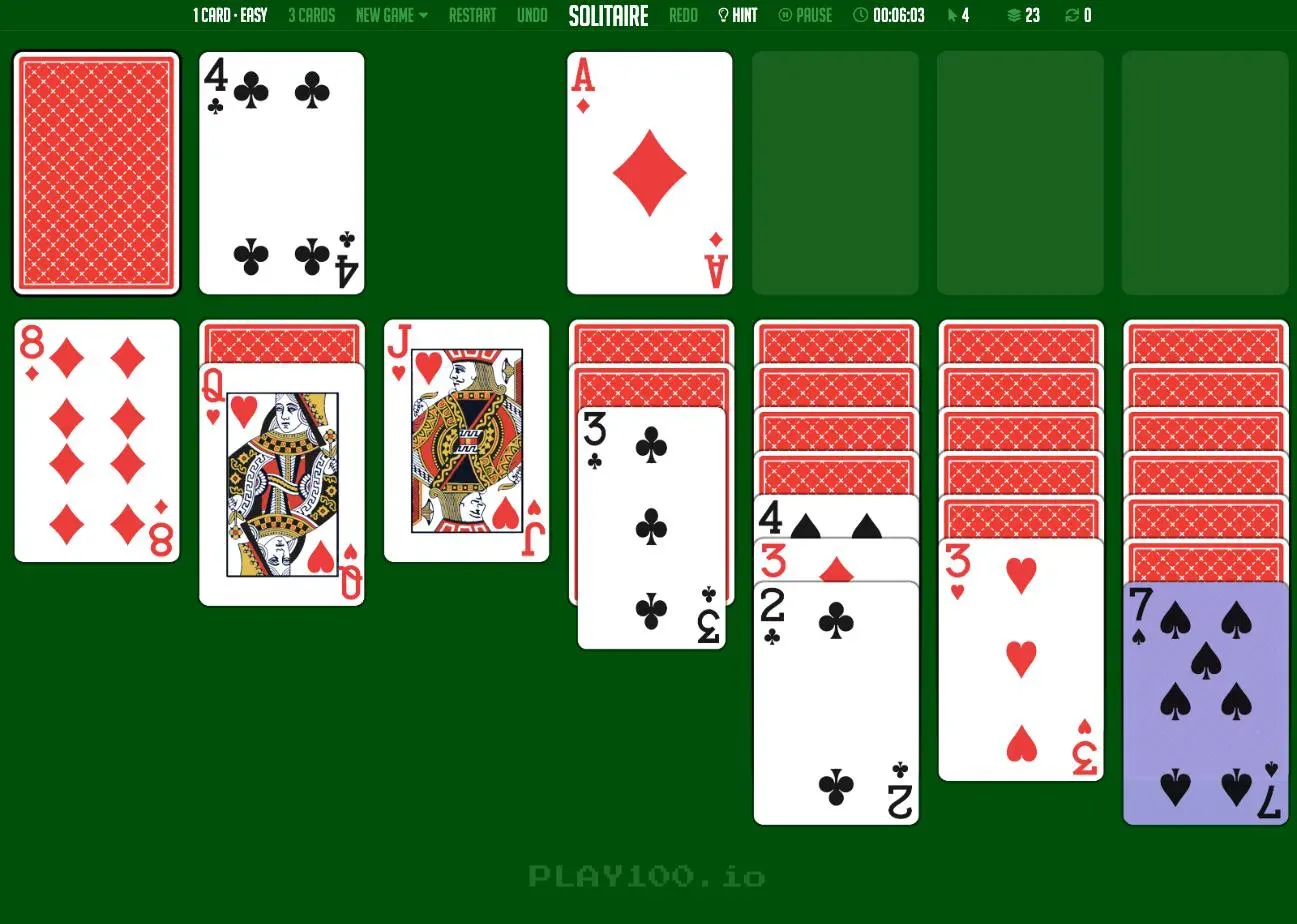
Hint highlights a card you can play. Press it when nothing looks possible and a playable card lights up in purple. In the game above it picked out the 7 of spades, which belonged on the red 8 in the first column.
Undo goes back more than one step. We pressed it four times in a row and it kept going, rewinding move after move including a stock draw. The stock count climbed back from 23 to 24 and the Ace came off the foundation. Redo sits on the other side of the title if you undo too far.
The rest of the toolbar is a running timer, a move counter, the stock count, a counter for passes through the deck, a Pause, a Restart that redeals the same game, and the New Game menu that gives you a fresh one.
One rough edge worth knowing. The Time Limit switch on the difficulty screen does not clearly show which way it is set: the label brightens when your cursor is over it whether the limit is on or off, so hovering tells you nothing. Click it, move the mouse away, and check the label before you start if it matters to you.
What we did not test. We played one session on Draw 1 at Easy. That is enough to be sure of the controls, the toolbar and the six-mode grid, all of which we used directly. It is not enough to say what changes between Easy, Normal and Hard, so this page does not claim to know. Treat the difficulty names as three settings we have confirmed exist and selected, not as three behaviors we have measured.
Draw 1 vs Draw 3 (Turn 1 vs Turn 3): What Actually Changes
This is the setting that changes your chances most, and it is worth understanding before you blame a losing streak on bad luck.
One setting, three names. This board labels it 1 Card and 3 Cards, most solitaire sites call it Turn 1 and Turn 3, and this page says Draw 1 and Draw 3. They all mean the same thing: how many cards come off the stock each time you click it.
In Draw 1, cards come off the stock one at a time, so every card in the deck reaches the waste and every one of them is playable in turn. In Draw 3, they come off in threes and only the top of each three is available, which means two cards in every three are locked behind another card until the next pass.
The gap that opens up is not small. Wikipedia's Klondike article reports a solver clearing about 52% of games in turn-one mode against 18% in turn-three. Roughly speaking, switching to Draw 3 costs you two thirds of your wins.
Two other figures from the same source are worth holding on to, because they say something about what a realistic win rate looks like:
| Measure | Win rate |
|---|---|
| "Thoughtful" Klondike, where every card is visible from the start | 81.942% ± 0.081% |
| A skilled human player, measured over 442 games | 43% (189 wins) |
| A solver, draw-one | 52% |
| A solver, draw-three | 18% |
The first row is the ceiling: with perfect information, four games in five are theoretically winnable. The second is the human reality. If you are winning something under half your games, you are playing well — not badly.
Practical advice: learn on Draw 1. Move to Draw 3 when you want the harder game, not because you think it is the proper way to play.
Strategy: How to Win More Games
- Turn face-down cards over before anything else. Every hidden card is information you do not have. A move that flips one is usually better than a move that does not, even if the second looks tidier.
- Work on the longest columns first. The seven-card column hides six unknowns; the two-card column hides one. Digging where the pile is deepest opens up the most.
- Do not send every Ace and 2 up and then stall. Aces and 2s should go to the foundations quickly, but a 3 or 4 sitting in the tableau is often holding a descending run together. Once it is on a foundation you cannot get it back without undoing.
- Do not empty a column unless you have a King ready. An empty column with no King to fill it is dead space, and it can stay dead for the rest of the game.
- Choose which King fills a gap. If two Kings are available, prefer the one that frees more face-down cards, or the one whose color lets you continue an existing run.
- Draw only when you are actually stuck. Cycling the stock costs you nothing on this board, but working the tableau first keeps more options alive.
- Use Hint as a check, not a crutch. If it finds a move you did not see, look at why you missed it: that is where the improvement is.
Where Solitaire Came From
The tidy story is that Klondike was named after the Klondike Gold Rush of the late 1890s, prospectors dealing hands by lamplight. It is a good story with nothing behind it. Wikipedia states the position plainly: "The origins of the name Klondike are unknown; a handful of authors have speculated the name derives from the late 19th-century Klondike Gold Rush, but no material evidence substantiates such a claim."
What is documented is the paper trail. The earliest known rules appear in the 1907 edition of Hoyle's Games, under the name Seven-Card Klondike; by 1913 the "Seven-Card" had been dropped and the dealing rules had shifted. For a time the game was also called Canfield in America, a name that now belongs to a different game entirely.
The naming still splits by country. In North America, "Solitaire" with no qualifier means Klondike. In the United Kingdom the same game is usually called Patience, and elsewhere it is sometimes "American Patience", which is why searches for a patience card game and searches for solitaire so often land in the same place.
Why Solitaire Ended Up on Every Computer
There is a reason your parents know this game and not, say, Canfield. Solitaire shipped with Windows 3.0 in 1990, written by a Microsoft intern named Wes Cherry, and it was not really there to entertain anyone. Engadget's thirtieth-anniversary piece puts it bluntly: Solitaire was "perhaps the first 'gamification' app, teaching folks how to drag and drop in a colorful and highly addictive way."
In 1990 a mouse was new equipment and dragging an object across a screen was an unfamiliar gesture. A card game where you pick a card up, carry it and put it down somewhere else was a tutorial disguised as a break. Millions of people learned to use a computer by moving red sevens onto black eights.
That history is why so many players still reach for the drag first. It also explains why this board keeps both options open: dragging is the gesture the game taught the world, and a single click is what people who grew up on touchscreens expect instead.
Ready to Deal?
That is the whole game: seven columns, four foundations, alternating colors going down and matching suits going up, and a King for every empty space. If you are starting out, take Draw 1 on Easy, turn the Time Limit off, and use Hint when a board stops making sense, because the odds are on your side there in a way they are not on Draw 3. When clearing games starts to feel routine, open the New Game menu and move up. Deal a hand on this page and play as many as you like, free.